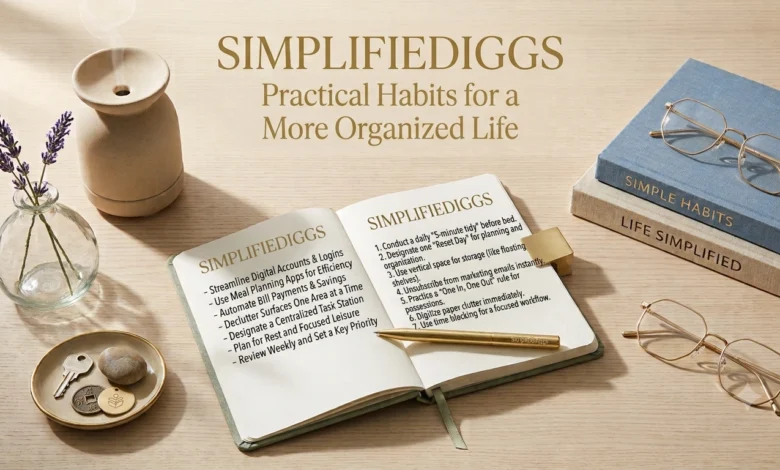
Introduction
Being organized doesn’t mean having a perfectly arranged home, a color-coded calendar, or a complicated productivity system. Real organization is often much simpler: knowing what needs your attention, knowing where important things are, and having routines that make everyday responsibilities easier.
SimplifyDiggs takes a practical approach to this idea. Instead of encouraging major changes all at once, it focuses on small habits that can remove unnecessary confusion from everyday life.
You can apply this approach to your home, work, digital files, shopping, personal schedule, and even the way you make routine decisions. The goal isn’t perfection. It’s to create systems that are easy enough to use consistently and flexible enough to survive busy days.
What Does an Organized Life Actually Look Like?
An organized life isn’t necessarily one where everything is perfectly arranged.
A more useful definition is:
You can find what you need, remember what matters, and understand what deserves your attention next.
That might mean:
- Knowing where your important documents are.
- Having a reliable place for everyday items.
- Keeping appointments in one calendar.
- Maintaining a manageable task list.
- Preparing for recurring responsibilities.
- Leaving room for unexpected events.
Organization should reduce mental effort rather than create another responsibility.
1. Organize Around Your Real Life
One of the biggest mistakes people make is copying someone else’s organization system.
A routine designed for a student may not work for someone working long hours. A system designed for a large household may be unnecessary for someone living alone.
Instead, look at your own routine.
Ask:
- What do I regularly forget?
- What do I repeatedly search for?
- Which tasks take more effort than they should?
- Where does clutter accumulate?
- Which part of my day feels most disorganized?
These answers tell you where to start.
2. Create Homes for Everyday Items
If you frequently search for something, it probably needs a permanent home.
Start with objects you use regularly:
- Keys
- Wallet
- Chargers
- Bags
- Headphones
- Documents
- Sunglasses
- Work supplies
The best location is usually one that matches how you naturally move through your day.
For example, if you always look for your keys when leaving, keeping them near the entrance makes more sense than putting them somewhere inconvenient simply because it looks tidy.
Good organization follows behavior.
3. Use the “One Place” Rule
Important information becomes easier to manage when it has one reliable location.
For example:
Appointments → calendar
Tasks → task list
Ideas → notes
Important documents → designated folder
You can still use multiple tools, but each type of information should have an obvious home.
This reduces the question:
“Where did I write that down?”
4. Make Your To-Do List Smaller
A long task list can make even a manageable day feel overwhelming.
Instead of putting every possible task into one list, divide responsibilities into categories.
Today
Things that genuinely need attention.
This Week
Important but flexible tasks.
Later
Ideas and tasks that don’t require immediate action.
This creates a distinction between important and immediate.
Not everything deserves a place at the top of your list.
5. Create Simple Routines for Repeated Tasks
If you perform the same task frequently, create a basic sequence.
For example, preparing for a workday might involve:
- Check your schedule.
- Review priorities.
- Gather what you need.
- Start the first important task.
A routine removes some of the decision-making involved in getting started.
The same idea can work for:
- Grocery shopping
- Exercise preparation
- Cleaning
- Studying
- Packing
- Weekly planning
Keep the sequence short enough to remember.
6. Use Checklists for Things You Often Forget
Checklists are particularly useful for tasks involving multiple steps.
For example, a travel checklist could include:
- Identification
- Tickets or booking information
- Chargers
- Necessary clothing
- Personal items
- Important medications or supplies, when applicable
The point isn’t to create checklists for everything.
Use them where forgetting one small item causes a bigger problem.
7. Reduce Physical Clutter Gradually
Decluttering doesn’t need to become a weekend-long project.
Choose one small area.
For example:
- One drawer
- One shelf
- One desk
- One cupboard section
- One digital folder
Sort items into simple categories:
Keep — you use or value it.
Move — it belongs somewhere else.
Remove — you no longer need it.
Decide later — you’re genuinely unsure.
Small sessions can be easier to maintain than attempting to reorganize an entire space at once.
8. Make Digital Organization Easier
Your digital environment deserves the same attention as your physical surroundings.
Start with the places you use most.
Archive or delete messages you no longer need and keep important items easy to locate.
Files
Use clear folder names based on how you search for information.
Phone
Keep frequently used apps accessible and reduce unnecessary notifications.
Photos
Periodically remove obvious duplicates or unwanted images.
You don’t need to achieve digital perfection.
You simply want to make finding useful information easier.
9. Create a Weekly “Reset Point”
Instead of constantly reorganizing, choose a regular time to review your systems.
A weekly reset might include:
- Checking upcoming commitments.
- Reviewing unfinished tasks.
- Cleaning a frequently used area.
- Organizing recent files.
- Planning essential errands.
- Choosing priorities for the coming week.
Keep it practical.
The purpose is to prevent small problems from becoming large ones.
SimplifyDiggs for Work and Study
Organization becomes especially useful when several responsibilities compete for attention.
A simple system can include three parts:
| Area | Purpose |
|---|---|
| Calendar | Appointments and time-specific commitments |
| Task list | Actions you need to complete |
| Notes | Information and ideas you may need later |
This separation can make your system easier to understand.
For students, the same structure can be adapted for classes, assignments, exams, notes, and personal activities.
SimplifyDiggs for Shopping and Errands
Shopping can become inefficient when every trip requires remembering everything from memory.
Maintain a reusable list.
Add items as you notice they’re running low rather than waiting until you’re already at the store.
You can also group items by general category:
- Food
- Household
- Personal care
- Other
The objective is simple: capture the information before you need it.
SimplifyDiggs for Decision-Making
Everyday decisions can consume more attention than expected.
You can simplify some of them with predetermined preferences.
For example:
- A short list of regular meals
- A preferred grocery store
- Standard work preparation steps
- Regular exercise times
- A basic packing checklist
This doesn’t mean eliminating spontaneity.
It simply means you don’t have to reconsider familiar decisions every time.
Don’t Turn Organization Into Another Chore
There’s a point where organization becomes counterproductive.
If you spend more time maintaining your system than benefiting from it, simplify it.
Watch for signs such as:
- Too many categories
- Too many apps
- Constantly changing your system
- Excessive planning
- Complicated tracking
- Lists that you rarely review
A good system should be easy to maintain.
If it isn’t, reduce it.
A 20-Minute SimplifyDiggs Reset
If your routine feels disorganized, try this short reset.
Minutes 1–5: Clear one surface
Choose your desk, kitchen counter, or another frequently used area.
Minutes 6–10: Capture loose tasks
Write down anything you need to remember.
Minutes 11–15: Check upcoming commitments
Look at your calendar and identify important events.
Minutes 16–20: Choose your next priorities
Pick the few things that deserve attention first.
Don’t try to fix everything during this session.
The objective is simply to create a clearer starting point.
Habits That Make Organization Easier
Some of the most useful habits are surprisingly small.
Put things back after using them
This prevents clutter from accumulating.
Write things down
Don’t rely on memory for every commitment.
Review before adding more
Check whether you already own something or have already recorded the information.
Prepare for predictable events
If something happens regularly, create a repeatable process.
Remove unnecessary steps
Whenever you notice repeated effort, ask whether one step can be eliminated.
Common Organization Mistakes
Trying to change everything at once
Start with one area that causes regular problems.
Choosing complicated systems
A simple system that you actually use is better than an impressive system you abandon.
Organizing things you don’t use
Sometimes removing unnecessary items is more useful than finding better storage.
Making every task urgent
Prioritize instead of treating everything as equally important.
Forgetting flexibility
Your routine should be able to handle unexpected changes.
Frequently Asked Questions About SimplifyDiggs
What is SimplifyDiggs?
SimplifyDiggs is a practical lifestyle concept centered on making everyday organization and routines easier to manage. It focuses on simple systems, useful habits, reduced clutter, and practical decision-making.
How can I become more organized without creating a complicated system?
Start with one recurring problem and create one simple solution for it. For example, give frequently used items permanent locations or keep all appointments in one calendar.
What is the easiest way to reduce everyday clutter?
Start with a small area and remove items you no longer need before adding new storage solutions. Working gradually can make decluttering more manageable.
Should tasks and appointments be kept in the same place?
They can be managed separately as long as you have a clear system for both. A calendar works well for time-specific commitments, while a task list can hold actions that need to be completed.
How often should I organize my life?
A small amount of regular maintenance is usually easier than occasional major reorganizing. A brief weekly review can help you catch problems before they build up.
Can SimplifyDiggs be used for digital organization?
Yes, the same principles can be applied to digital life. Clear folders, fewer unnecessary notifications, and designated places for files and notes can make digital information easier to manage.
Conclusion
A more organized life doesn’t require a complicated productivity system.
The SimplifyDiggs mindset is about making small changes that remove repeated confusion and unnecessary effort.
Give everyday items a home. Keep commitments and tasks organized. Use checklists where they genuinely help. Simplify digital clutter. Create routines for repeated activities and review your systems regularly.
Most importantly, don’t organize your life simply for the sake of being organized.
Build systems that make your actual life easier.
Start with one small change today, see how it works, and improve from there.